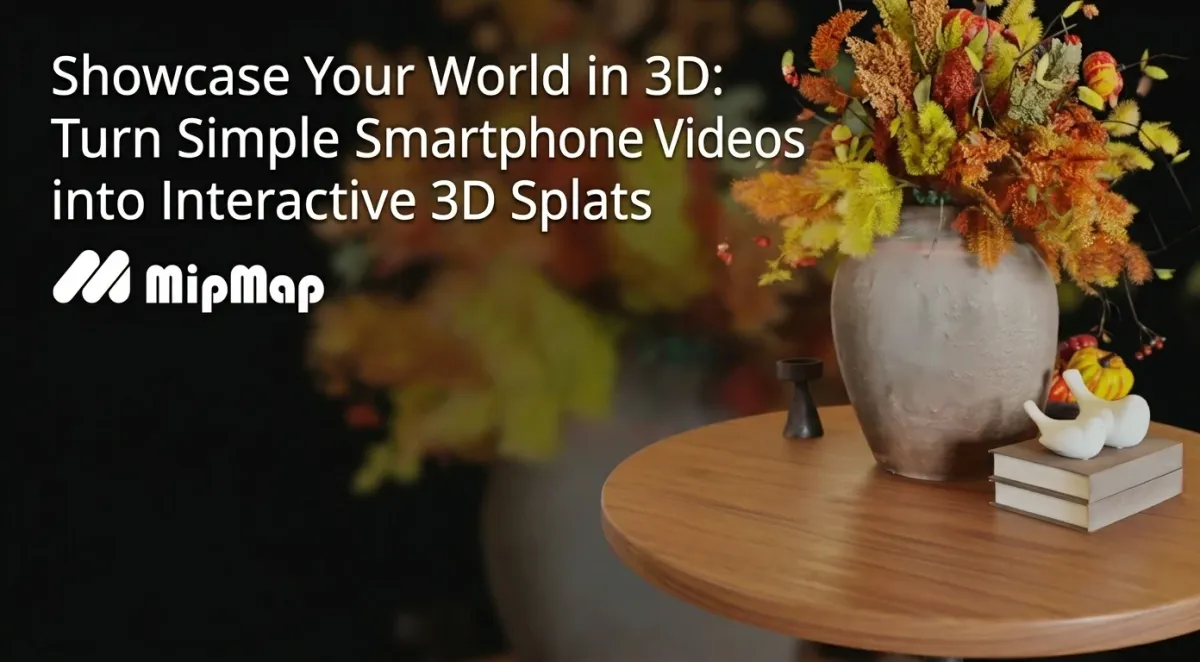
Showcase Your World in 3D: Turn Simple Smartphone Videos into Interactive 3D Splats
Flat 2D media always flattens the real vibe of a space. Ready to step back inside your memories? Discover how MipMap's 3D Gaussian Splatting software transforms simple smartphone videos into fully interactive, high-fidelity 3D spatial scenes—no expensive equipment required.
Ever look back at your travel photos or videos of an apartment right before you moved out, and feel like something was missing? Flat 2D media just can't capture the actual vibe of being there. The way the light hits the room, the sense of depth, the physical scale of the space—all of that gets flattened out the moment you hit record or snap a photo.
But what if you could actually step back inside your memories?
Thanks to fantastic breakthroughs in 3D digitization, this isn't science fiction anymore. Over the past couple of years, a disruptive tech called 3D Gaussian Splatting (3DGS) has completely changed how we capture reality. It takes a smartphone video and transforms it into a high-fidelity, fully interactive 3D spatial memory that you can orbit, zoom, and explore from any angle.
The best part? You don't need a five-figure professional scanning rig to do it. With MipMap, all it takes is your phone and a few minutes to generate your own high-quality 3D assets.
From Video to 3D: The 3-Step Workflow
Traditional photogrammetry and manual modeling are notorious time sinks. They demand tons of specialized effort just to clean up point clouds and deal with tedious texture mapping and optimization post-production. MipMap changes that by automating the heavy lifting on the backend, massively lowering the barrier to entry for 3D Gaussian Splatting.
Whether you are completely new to 3D or a creator crossing over from another discipline, the entire reconstruction pipeline boils down to three straightforward steps:
Capture: Grab your phone, walk around the object or scene you want to log, and shoot a standard video.
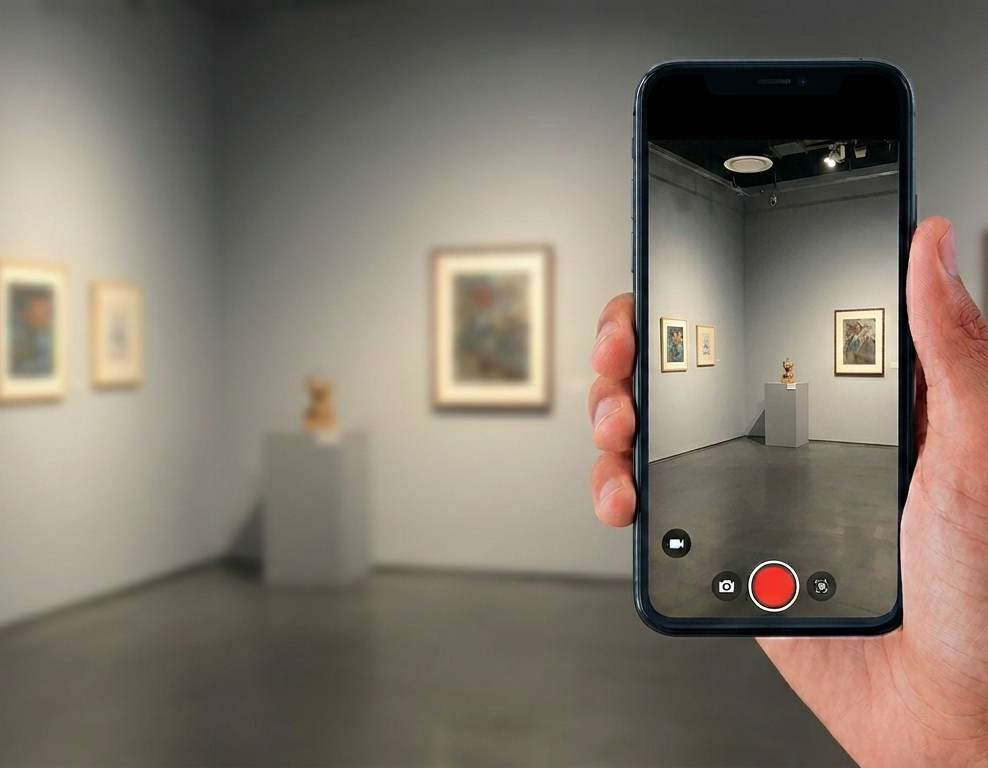
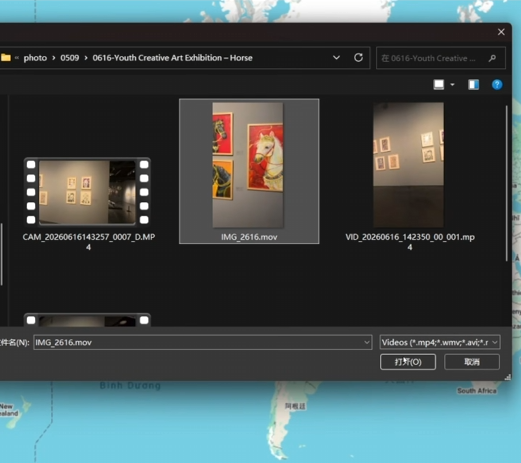
Upload: Log into MipMap Desktop and drag and drop your video file right into the interface.
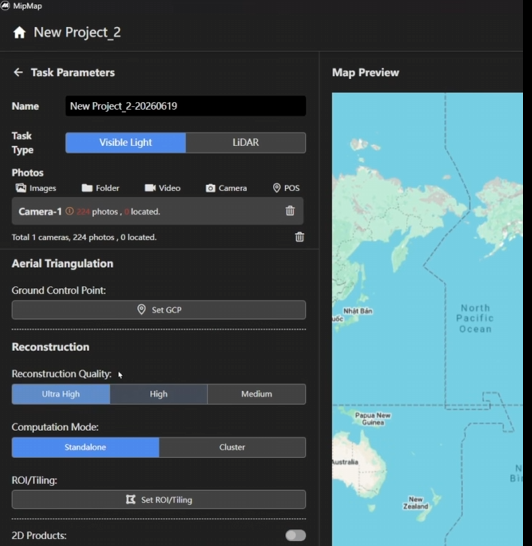
Reconstruct: Dial in your preferred target quality in the settings, hit the "Reconstruct" button, and let our backend handle the rest.
Pro Tips: The Three Golden Rules for Clean 3D Reconstructions
When trying out 3DGS for the first time, a lot of beginners end up with models that have jagged edges, blurry textures, or weird holes in the geometry. Don't panic—it's usually not a software bug. Your video just tripped up the AI's "visual blind spots". Before you hit record, keep these three essential guidelines in mind.
Keep it Steady: Eliminate Motion Blur
3D reconstruction hates motion blur. When you move too fast or yank the camera around, individual video frames get blurry, making it impossible for the software to track key feature points accurately.
- Tips: Keep your movements slow and steady. Imagine you are operating a high-end cinema crane—keep your pacing deliberate and avoid sudden, jerky turns. If your phone has Optical Image Stabilization (OIS), make sure it's on; using a gimbal will yield even better results.
Control the Lighting and Avoid Featureless Materials
The core logic behind 3DGS relies on matching consistent visual features across multiple video frames to build out a spatial environment. Because of this, shifting light sources and surfaces devoid of distinct visual features are the two biggest hurdles to a clean reconstruction.
- Lighting Environment: Avoid shooting in volatile lighting conditions or environments with extreme, harsh contrast between light and shadow. Your best bet is even, soft, and consistent lighting—like an overcast day outdoors or a well-lit indoor space with balanced ambient light.
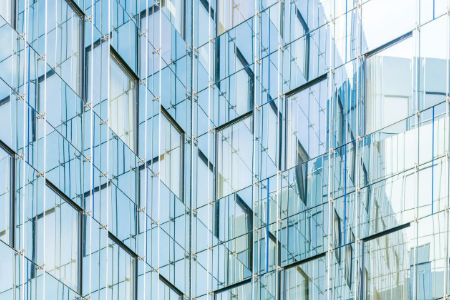
- Material Selection: Steer clear of large sheets of transparent glass, highly reflective/specular surfaces, and plain, solid-colored areas lacking any texture. These materials prevent the algorithm from extracting reliable feature points, which usually leads to holes or severe distortion in your final model.
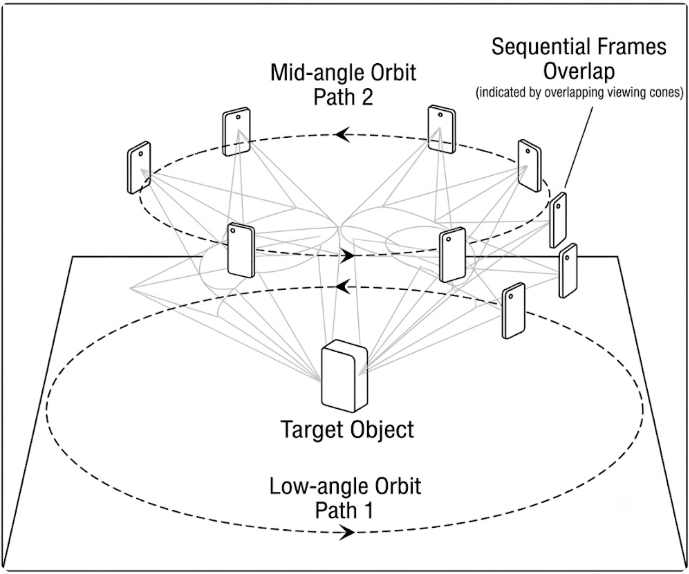
Maximize Frame Overlap
The algorithm needs to identify identical feature points from various angles to stitch a 2D video into a 3D space, much like solving a puzzle. If there is too much of a visual gap between adjacent frames, the reconstruction pipeline will break.
- Shooting Path: When orbiting a target object, ensure there is a high rate of overlap between consecutive frames. Don't just walk in a single flat circle. Instead, capture the scene from multiple vertical tiers—think low-angle looking up, eye-level, and high-angle looking down. Providing the algorithm with a rich dataset of multi-angle overlapping frames ensures the final 3D model is structurally sound and completely free of blind spots.
Beyond the Capture: What Can You Actually Do with Your 3D Splats?
Once you master the art of creating clean, crisp 3D Splats, you realize you've unlocked an entirely new dimension of visual content. This isn't just a gimmicky tech toy; it has massive, practical value across several real-world use cases.
Preserve Your Memories: Build a Time Capsule of Your Space
Before moving out of a beloved apartment or saying goodbye to your childhood home, take a minute to film a quick walkthrough. Years down the road—even if that place has been remodeled, sold, or torn down—you can always step right back inside that room via your laptop, phone, or a VR headset. It's the ultimate form of digital nostalgia for the modern era.
The Collector's Showcase: Bring Figures and Vinyl Toys to Life
For collectors of blind box toys, limited-edition figures, or art sculptures, standard studio photography just doesn't do the collection justice. By generating a 3DGS model with MipMap, you can share a high-fidelity link directly with your community. Other collectors can rotate and zoom in on your piece from any angle, appreciating everything from the metallic paint finishes to the subtle textures of the material—creating the ultimate online digital display case.
Democratizing E-Commerce Content: High-Fidelity 3D Assets on a Budget
In the past, online store owners and independent brands wanting interactive 3D product previews had to hire specialized 3D artists to build models from scratch over several days—a process that was painfully expensive.
With MipMap's reconstruction pipeline, you can turn a simple smartphone video into a photorealistic 3D asset in minutes. This drastically shortens the pipeline from physical inventory to digital asset, giving you a standardized, lightweight, and highly versatile 3D file to work with. Depending on your workflow, you can optimize and process these assets to integrate into your product pages, boosting buyer confidence and elevating your brand's digital presence.
Digitizing the physical world used to be a privilege reserved for Hollywood VFX houses and AAA game studios. But the landscape has shifted. Thanks to 3D Gaussian Splatting and automated platforms like MipMap, the only barrier to entry is the smartphone already in your hand.
Stop letting your memories and creative ideas sit flat in a 2D camera roll. Head over to MipMap, upload your first video, and start exploring the world in 3D now.