How to Turn Panoramic Video into 3D Realities: The Ultimate Gaussian Splatting Guide with MipMap
Frustrated by traditional scanning workflows? Discover how to seamlessly transform panoramic video footage into high-fidelity 3D Gaussian Splatting scenes with MipMap in just 4 simple steps. No prior 3D modeling expertise required.
Nowadays, 3D designers, game artists, and geospatial engineers are all chasing the same grail: a workflow that delivers both unmatched reconstruction speed and photorealistic visual fidelity.
However, anyone who has spent long nights capturing field data and grinding through post-processing knows how exhausting traditional scanning workflows can be. The hardware costs a lot, and the processing pipelines are agonizingly slow, heavily reliant on manual expertise. To make matters worse, when encountering massive glass curtain walls, polished marble floors, or dense foliage, the traditional generation often fails miserably—leaving you with mesh tearing, fragmentation, and glaring holes.
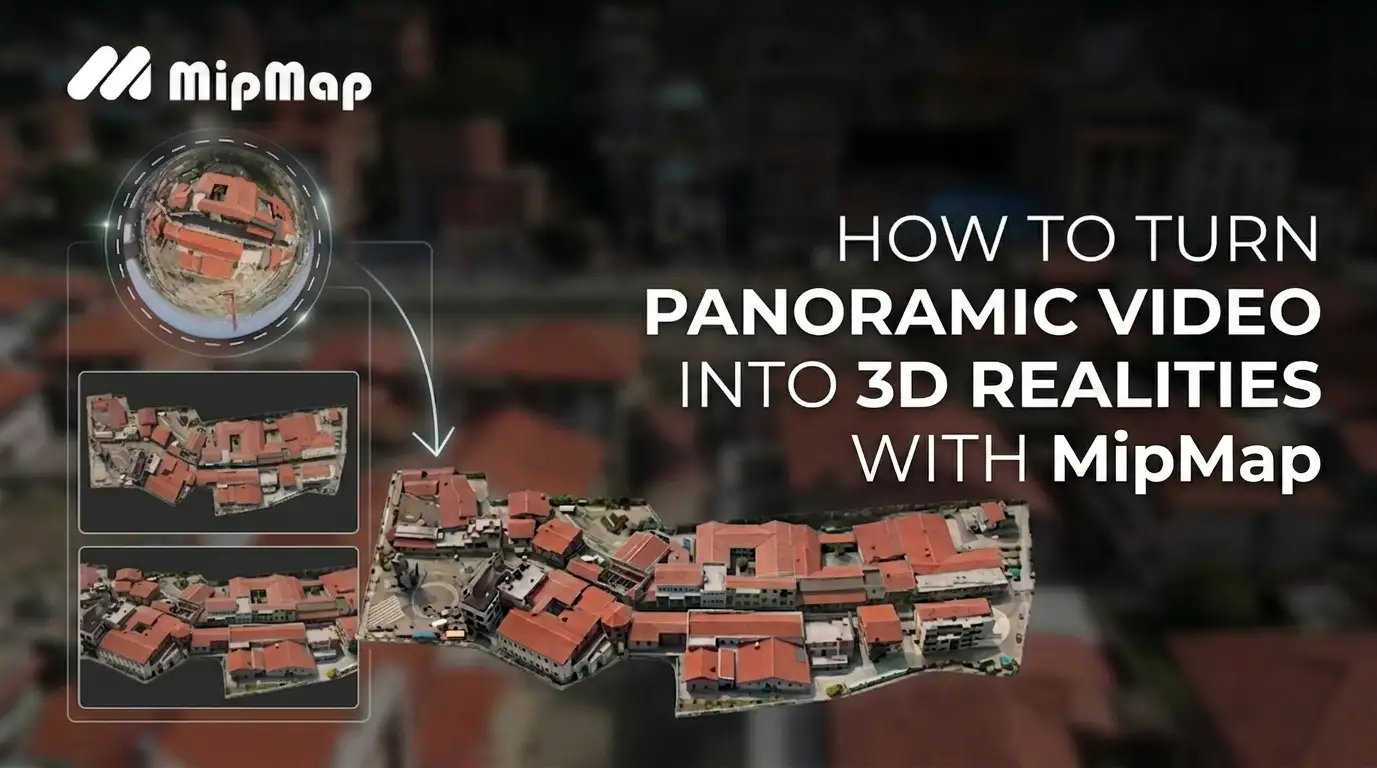
Hopefully, the bottleneck ends here. By leveraging MipMap's advanced 3D reconstruction pipeline alongside accessible panoramic hardware like the Antigravity A1, high-efficiency reality capture is now within anyone's reach. Simply feed a standard panoramic video into MipMap, and watch it turn into a photorealistic 3D Gaussian Splatting scene with a single click.
How To Turn Panoramic Footage into Photorealistic 3D Models in MipMap
Why Gaussian Splatting Recreates Reality Perfectly
To understand this workflow, we need to look under the hood at the technology capturing the industry's attention: 3D Gaussian Splatting (3DGS).
Revolutionizing Visual Representation
Within the MipMap 3DGS ecosystem, scenes are no longer forcefully pieced together by rigid geometric meshes. Instead, they are woven from millions of volumetric, colored, and semi-transparent luminous Gaussian ellipsoids suspended in space.
As you orbit through the viewport, the system renders these Gaussian points instantly in real time. This keeps the experience buttery-smooth while faithfully capturing complex shadow play, atmospheric depth, the crisp silhouettes of foliage, and the intricate textures of complex structural components. This hyper-realistic spatial immersion and fluid walkthrough offer a highly efficient solution for large-scale, online visual showcases.
| Evaluation Metrics | Gaussian Splatting | Photogrammetry |
|---|---|---|
| Core Type | Radiance Fields (3D Gaussians) Composed of millions of semi-transparent 3D ellipsoids embedded with color, opacity, and view-dependent features. | Polygon Mesh + Textures Standard geometric reconstruction consisting of a triangulated surface mesh paired with 2D texture maps. |
| Visual Representation | High-Fidelity Visuals Effectively captures fine details, complex shadows, and dense vegetation with high visual realism. | Precise Geometry Delivers highly accurate physical boundaries, structured geometric topography, and clean vector lines. |
| Processing Efficiency | Streamlined Processing Highly optimized training algorithms allow for rapid reconstruction directly on modern GPUs. | Time-Intensive Involves multi-stage steps including feature matching, dense cloud generation, and surface meshing. |
| Storage Footprint | Optimized Delivery File sizes vary by scene density and scale, benefit from modern compression techniques for efficient web deployment. | Scalable Storage Storage requirement scales with texture resolution and geometric complexity. |
Complementing the Traditional Mesh
In MipMap, 3DGS isn't here to replace traditional meshes; it is designed to work alongside them as a powerful tag-team.
- Textured Meshes: Remain crucial for applications requiring precise physical collisions or high-accuracy geometric surveying.
- Gaussian Splatting: Serves as the premier high-fidelity visual replication solution, perfectly capturing complex organic details that traditional meshes struggle to express.
How MipMap Handles High-Distortion Panoramic Video
Panoramic cameras are a massive time-saver during data capture due to their ultra-wide field of view and rapid acquisition speeds. However, untangling that heavily warped footage is where software's core capabilities are truly put to the test.
Hardware-Software Synergy: One-Click .insv Reconstruction
Native footage from fisheye lenses suffers from extreme distortion, warping aggressively near the edges of the frame. Traditional software requires you to shoot specific calibration grids beforehand to manually calculate focal length and distortion coefficients—and a single misstep can ruin the entire dataset. MipMap solves this via advanced aerial triangulation, performing millimeter-level intrinsic solving and pre-calibration directly on the lenses. This mathematical camera model is natively coded into our core algorithms.
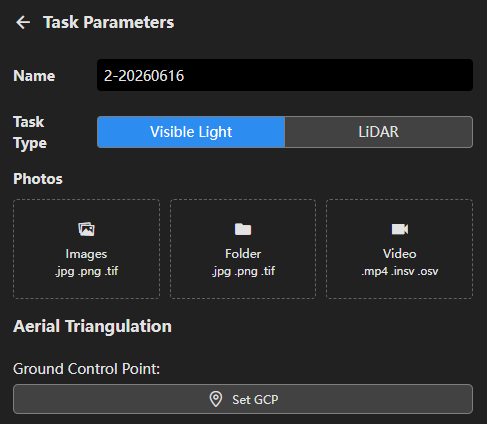
Drag-and-Drop Automation
Thanks to this deep hardware-software synergy, users don't need a degree in computer graphics to get results. Simply drag and drop the raw .insv video file directly into MipMap. The software automatically identifies and applies the optimized intrinsic profile. We keep the complex computation under the hood, leaving you with a clean, effortless user experience.
Expanding Perspectives: Fusing Aerial and Ground Data
MipMap’s innovation doesn't stop at single panoramic video processing. The platform also natively supports fusing aerial drone footage with ground-level panoramic data.
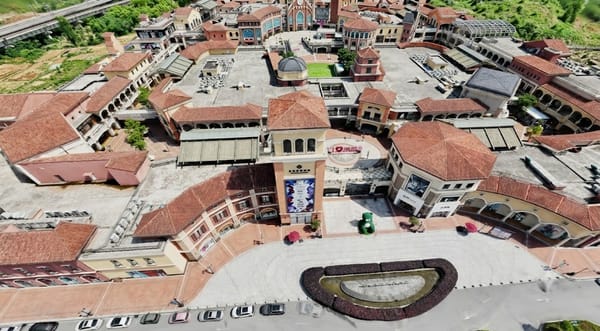
Large-scale environments like historic architecture sites, massive industrial parks, and commercial centers always suffer from occlusions—aerial sweeps miss the undercuts and interiors, while ground cameras lack the rooftop coverage. MipMap breaks through these limitations by blending aerial and ground video streams into a unified model, allowing you to replicate entire environments with absolute completeness.
The 4-Step Pipeline: From Panoramic Video to 3D Scene
Step 1: Capture Your Panoramic Footage
You can flexibly coordinate aerial and ground devices based on the specific demands of the scene. For a large-scale environmental context, you can deploy the Antigravity A1 panoramic drone for wide-FOV aerial sweeps. For ground-level and interior details, simply pair it with a panoramic camera like the Insta360 X5 for a seamless, walking-paced walkthrough. The ultra-wide field of view ensures massive data overlap, giving our backend algorithm a golden data source to align frames seamlessly.
Step 2: Import into MipMap
Open the MipMap workspace and create a new project, then simply drag and drop your captured panoramic video into the module. Forget the nightmare of juggling third-party tools just to manually split frames or transcode files—MipMap handles intelligent frame extraction fully automatically in the background.Right after extraction, MipMap triggers its smart camera parameters matching. Powered by a built-in camera profile database—which supports mainstream devices like the Antigravity A1, Insta360 X4/X5, and Osmo360—the system automatically detects your camera model and injects the corresponding pre-calibrated intrinsic lens parameters instantly.
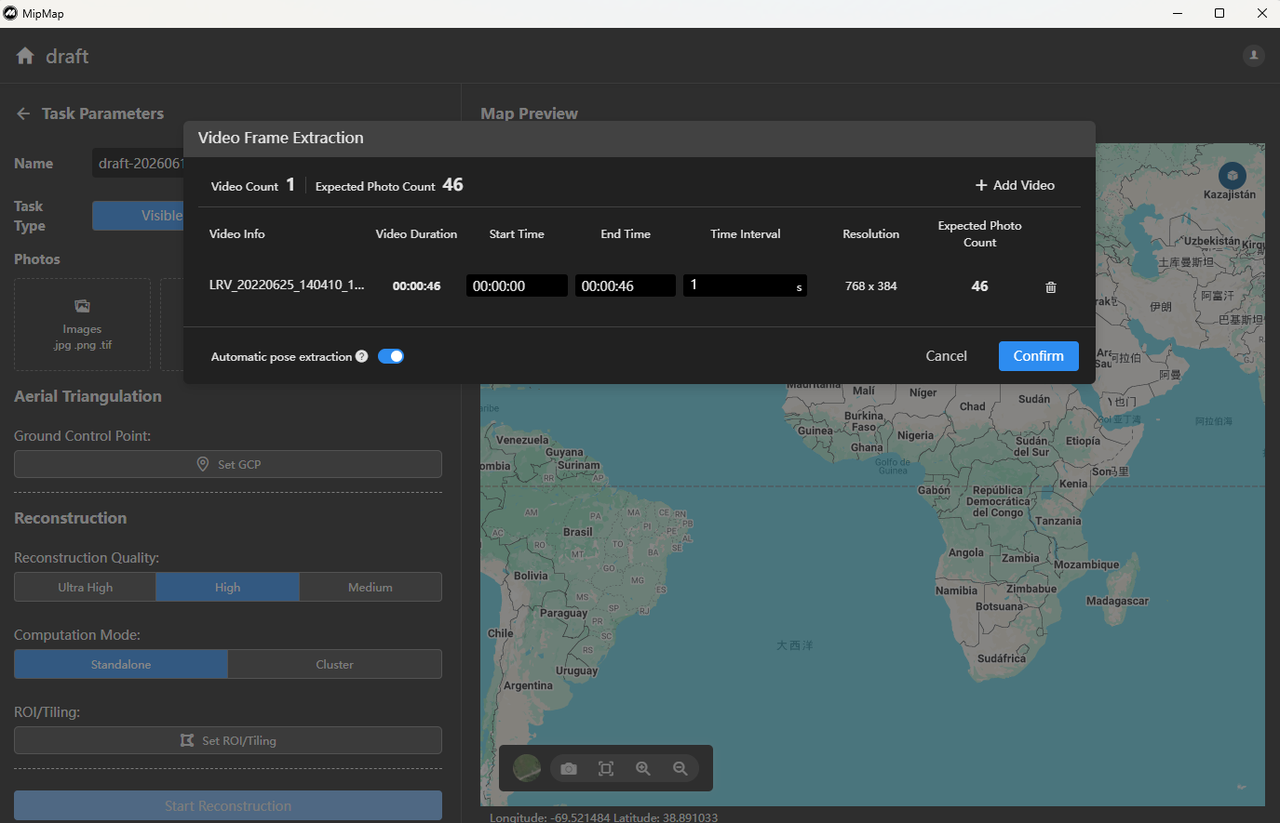
Step 3: Configure Parameters & Reconstruct
In settings, you have full control over your output:
- Reconstruction Quality: Choose between Ultra High, High, and Medium. For smart city assets or high-precision commercial deliverables, Ultra High yields stunning pixel-grade textures and details.
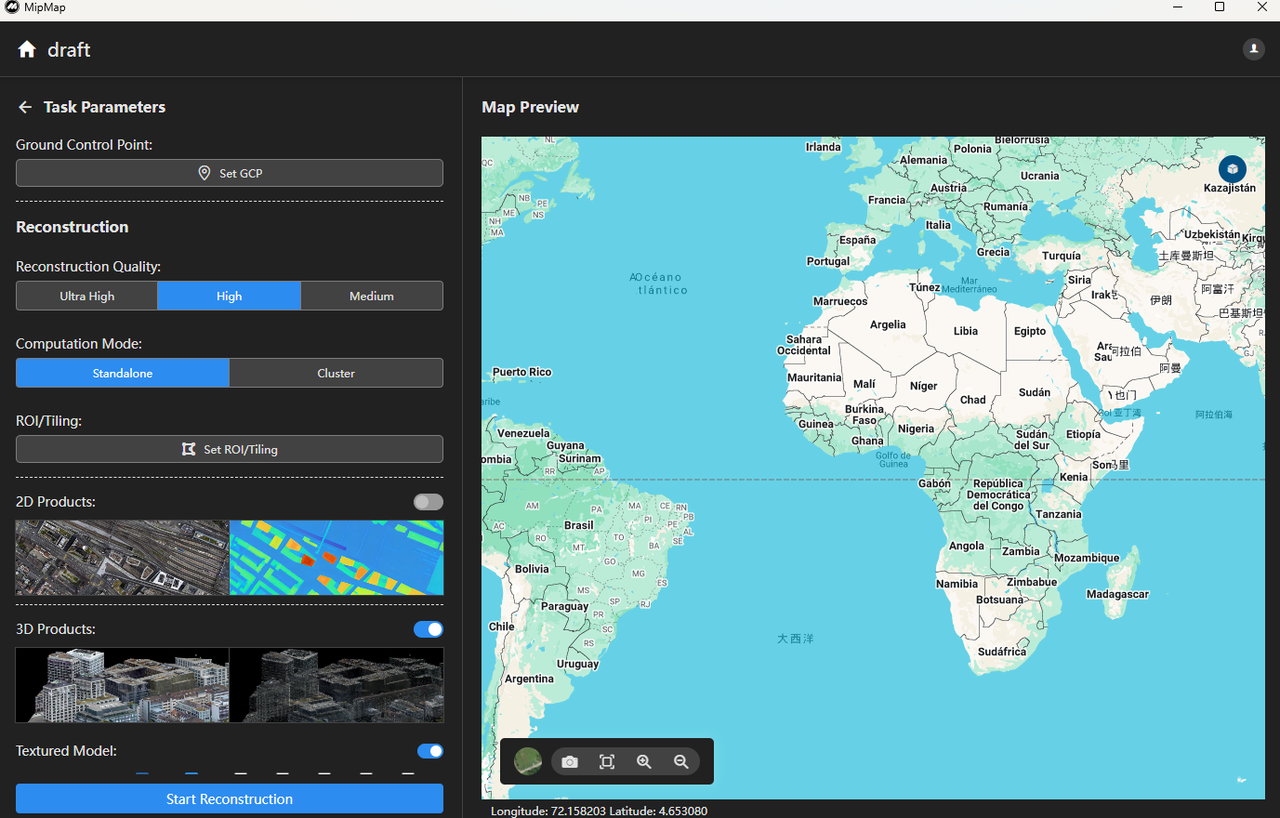
- Compute Mode: Choose Standalone. When dealing with massive, gigabyte-sized videos or large-scale survey areas, leveraging cloud cluster compute power slashes rendering times exponentially.
- Intelligent Visual Clean-up: During reconstruction, the algorithm automatically detects and filters out transient moving elements like people and vehicles. For specific individuals who remain stationary or linger in the frame for extended periods, the software deploys a deep learning model to semantically mask out the subjects. The pipeline then executes high-precision 3D reconstruction based exclusively on purified, static imagery.

Once configured, hit "Start Reconstruction" and let MipMap do the heavy lifting.
Step 4: Explore and Export
Once processing is complete, your flat, 2D video is transformed into an immersive, photorealistic 3D space. In the real-time viewport, you are no longer bound by your original camera path. You can soar like a bird over rooftops, dive between buildings, or zoom in to inspect shadow structures beneath the eaves—all rendered with buttery-smooth performance.
Seamlessly Integrating Outputs into Your Existing Workflow
Your high-quality 3D assets deserve to be shared. MipMap supports exporting your Gaussian Splatting results into open industry standards like .ply, allowing them to slide effortlessly into your existing creative pipelines.
Furthermore, MipMap plays beautifully with the broader open-source ecosystem. You can import your exported assets straight into SuperSplat, the leading web-based editor for the Gaussian community. Without installing any heavy software, you can crop your models, erase unwanted noise points, and fine-tune your scene right in your browser—taking your post-processing efficiency to the next level.
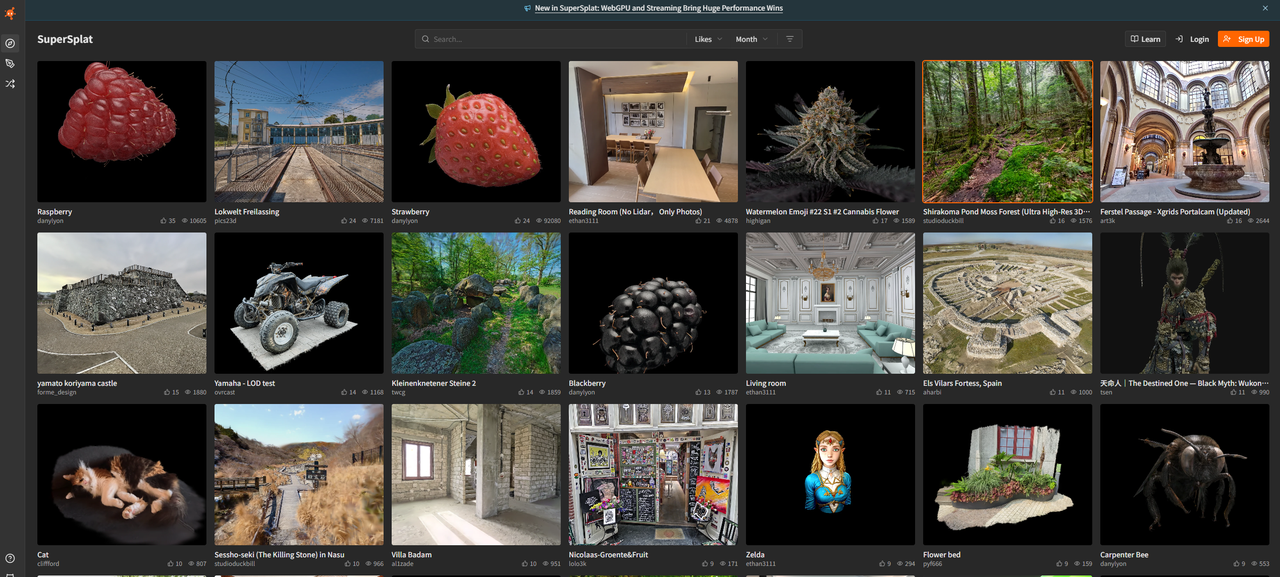
As the MipMap philosophy goes: See Real. Model Real.
Bringing the physical world into the digital realm used to be a capital-intensive, high-barrier endeavor. Today, by bringing industrial-grade 3DGS technology to commercial viability and closing the loop between hardware and software workflows, MipMap is helping usher in the era of democratization for 3D digitization.
Ready to upgrade your 3D digital workflow? Visit the official MipMap website and start your reconstruction journey now!
🌐 Learn more: https://na.mipmap3d.com/
🚀 Get Started: https://na.mipmap3d.com/products/mipmap-desktop